
🔐 Permission Control – Manage User Roles & Access
Define user roles and control what each one can access — keeping data secure and every user working within the right boundaries.
Controlled access, by design.
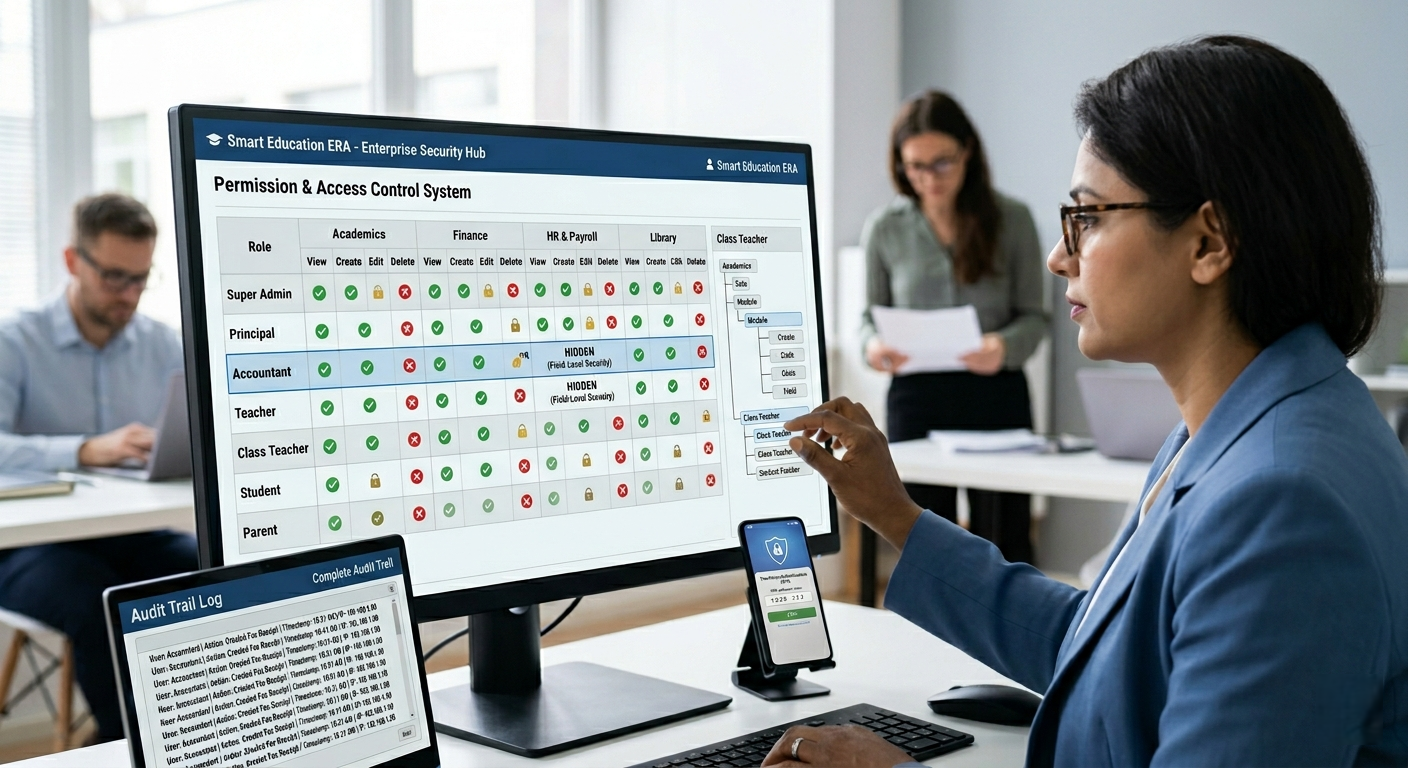
The Permission Control module lets administrators define user roles and set exactly what each role can access across the ERP — keeping data secure and ensuring every user only sees and does what their role allows.
Set up user roles
Controlled access
Right access, right people
User Role & Access Management
Core capabilities of the Permission Control module:
- User Role Management – define roles for different types of users
- Permission Assignment – set what each role can access
- Data Security – restrict access to sensitive information by role
- Controlled Access – ensures users only reach what their role permits
* Applies across every module in the ERP for consistent, secure access.
Define User Roles
Administrators set up roles for the different types of users who work with the system.
Assign Access Permissions
Control exactly what each role can see and do within the ERP, keeping access aligned to responsibility.
Data Security
Ensures data security through controlled, role-based access rather than open access for every user.
Core Capabilities
Role definition and access control across the ERP.
Role Management
Define user rolesPermissions
Access assignmentData Security
Controlled visibilityRole Management · Permission Assignment · Data Security · Controlled Access